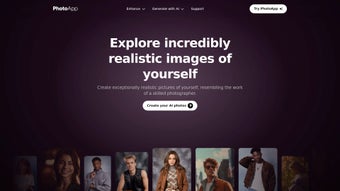

Download PhotoApp – AI Photo Editor, Free & Secure
Overview
PhotoApp is a cutting‑edge, AI‑powered photo editor designed to turn ordinary selfies, family snapshots, or product images into studio‑quality portraits in a matter of seconds. Leveraging deep‑learning models that have been trained on millions of professional photographs, the platform can automatically detect facial landmarks, skin tone, lighting conditions, and even subtle expressions. Once the analysis is complete, PhotoApp reconstructs the image with realistic shadows, natural lighting, and refined details, delivering results that look as if they were captured by a seasoned photographer.
The service is fully web‑based, which means there is no need for bulky desktop software; users can simply open a browser on any device, upload a picture, and watch the AI work its magic. In addition to the core portrait‑enhancement engine, PhotoApp offers a robust library of pre‑made poses, backgrounds, and style templates, allowing you to experiment with everything from corporate headshots to fashion‑forward editorial looks. Practical utilities such as image enlargement, denoising, and low‑resolution enhancement are built in, making the tool useful for both casual social‑media enthusiasts and professional content creators.
Native apps are available for iOS and Android, ensuring a seamless experience across smartphones, tablets, and desktop browsers while keeping your projects synchronized via the secure cloud. Whether you need a polished LinkedIn portrait, a vibrant Instagram post, or a refreshed family photo album, PhotoApp provides a fast, secure, and affordable solution that eliminates the need for expensive photo‑shoots or complex editing software.
Key Features That Set PhotoApp Apart
- AI‑Generated Multi‑Angle Portraits: Produce up to eight distinct viewpoints of the same subject, each rendered with natural lighting, accurate shadows, and depth‑of‑field effects.
- Extensive Style & Pose Library: Access hundreds of professionally curated poses and style templates, ranging from classic corporate headshots to bold fashion editorial concepts.
- Hairstyle & Outfit Simulation: Instantly preview new haircuts, colors, and wardrobe choices, helping users experiment before committing to real‑world changes.
- Makeup & Skin Tone Adjustment: Apply subtle makeup, smooth skin imperfections, or adjust color balance with a single tap, preserving the natural texture of the skin.
- Location & Background Swap: Replace any background with studio backdrops, exotic travel locations, or urban street scenes without the need for a green screen.
- Image Enlargement & Denoising: Upscale low‑resolution images up to 4× while maintaining detail, and remove noise from older or compressed photos.
- One‑Tap Enhancements: Automatic color correction, contrast boost, and sharpness tuning deliver a polished finish in seconds.
- Secure Cloud Processing: All AI calculations are performed on encrypted servers, ensuring data privacy and rapid turnaround.
- Cross‑Platform Sync: Projects saved in the cloud are instantly available on iOS, Android, or any modern web browser, allowing seamless continuation of work.
- Free Tier with Premium Upgrades: Core features are available at no cost; a modest subscription unlocks advanced style packs, higher‑resolution exports, and priority processing.
The breadth of these capabilities makes PhotoApp more than a novelty; it is a comprehensive creative toolkit that streamlines the entire workflow from image capture to final export. By automating traditionally time‑consuming tasks such as lighting correction, background replacement, and high‑resolution upscaling, the app frees users to concentrate on visual storytelling rather than technical minutiae. Moreover, the AI engine continuously learns from user feedback, meaning that the quality of generated portraits improves over time. Whether you are a solo entrepreneur needing a professional brand image, a social‑media influencer experimenting with new looks, or a family member restoring old photographs, PhotoApp’s feature set provides the flexibility and power required to achieve high‑quality results without the steep learning curve of traditional photo‑editing suites.
How to Install, Set Up, and Use PhotoApp on Any Device
Step 1 – Download the App
iOS users can open the App Store, search for “PhotoApp AI Photo Editor,” and tap Get. Android users locate the app in Google Play using the same keywords and tap Install. Both platforms deliver a free version with optional in‑app purchases for premium content. Users who prefer not to install anything can simply navigate to the web version at PhotoApp.com, where the full feature set is accessible via a modern browser.
Step 2 – Create an Account
After launching the app, you’ll be prompted to sign up with an email address or a social login (Google, Apple, or Facebook). A verification email confirms your identity and activates cloud sync, ensuring that every project is automatically backed up. If you choose to use the web version as a guest, you can still edit images, but projects will be stored locally and will not sync across devices.
Step 3 – Upload or Capture a Photo
Select a clear, front‑facing selfie or portrait taken in natural light. PhotoApp’s AI scanner instantly identifies facial landmarks, suggests optimal cropping, and offers an automatic upscaling preview if the source image is low‑resolution. The preview pane displays both the original and the AI‑enhanced version side‑by‑side for quick comparison.
Step 4 – Choose a Style or Pose
Browse the style library by category—Business, Fashion, Travel, Creative, or Custom. Clicking a style applies a full‑body pose, background, lighting scheme, and optional makeup or wardrobe adjustments in real time. The AI re‑renders the portrait, preserving realistic skin texture while adapting the selected aesthetic.
Step 5 – Fine‑Tune Individual Elements
Use the right‑hand panel to adjust hair color, makeup intensity, background placement, or lighting direction. Sliders provide granular control, and a “Compare” button lets you toggle between the edited and original image without losing any adjustments.
Step 6 – Export or Share Your Creation
When you’re satisfied, tap Export. Free users receive a 1080p JPEG file; premium subscribers can choose PNG, TIFF, or up to 4K resolution for print‑ready outputs. Direct sharing options include Instagram, Facebook, Twitter, and email. All exported files are saved to a secure cloud folder that can be accessed from any logged‑in device.
Compatibility
PhotoApp runs on iOS 13 or later, Android 8.0 or later, and any modern web browser (Chrome, Safari, Edge, Firefox). The web version works on Windows 10/11, macOS 10.15+, and most Linux distributions with a graphical interface. Minimum system requirements are modest: 2 GB RAM, 200 MB free storage for temporary cache, and a stable internet connection for AI processing.
Final Verdict: Pros, Cons, FAQs, and How to Get Started
Pros
- AI generates realistic multi‑angle portraits in seconds, saving time and money.
- Vast style and pose library eliminates the need for external photo‑shoots.
- One‑click image enhancement (upscale, denoise, color correction) delivers professional quality.
- Cross‑platform sync ensures projects are available on any device, anytime.
- Free tier provides strong core functionality; premium upgrades are reasonably priced.
- Secure cloud processing protects personal data with encryption in transit and at rest.
- Intuitive UI makes advanced AI features accessible to beginners and pros alike.
Cons
- Requires an internet connection for AI rendering; offline editing capabilities are limited.
- High‑resolution exports and exclusive style packs are locked behind a subscription.
- Complex styles or large batch uploads may experience longer processing times on slower networks.
- Free version limits the number of exports per month, which may affect heavy users.
- While privacy is emphasized, some users may still be cautious about uploading personal photos to the cloud.
Frequently Asked Questions
Is PhotoApp safe for my personal photos?
Yes. All uploads are encrypted both in transit and at rest. The AI engine processes images on secure servers and never stores them permanently unless you choose to save them to your personal cloud gallery.
Can I use PhotoApp on a Windows PC?
While there is no native Windows desktop client, the web version works flawlessly in any modern browser on Windows, providing the same feature set as the mobile apps.
What is the cost of the premium subscription?
Premium access is $9.99 per month or $99 per year. The subscription unlocks high‑resolution exports, exclusive style packs, priority AI processing, and unlimited cloud storage.
How long does it take to generate a portrait?
Typical rendering time is 5–10 seconds on a fast broadband connection. More complex background swaps or high‑resolution upscaling may take up to 20 seconds.
Can I edit the AI‑generated results?
Absolutely. After the AI creates a base portrait, you can fine‑tune hair color, makeup intensity, background placement, lighting direction, and many other parameters using intuitive sliders.
Does PhotoApp support batch processing?
The current version focuses on single‑image editing for maximum quality, but a batch‑processing feature is slated for a future update that will allow users to apply the same style to multiple photos simultaneously.
Conclusion & Call to Action
PhotoApp bridges the gap between casual selfie touch‑ups and professional portrait production. Its AI engine delivers high‑quality, multi‑angle results without the cost of a photographer, while the intuitive mobile and web interfaces keep the process fun and accessible. The secure cloud infrastructure, extensive style library, and one‑click enhancement tools make it an ideal solution for personal branding, social‑media content creation, and even small‑business marketing.
Although a subscription is required for the highest‑resolution exports, the free tier offers ample power for most everyday users, and the reliance on an internet connection is mitigated by modern broadband speeds. Ready to upgrade your visual presence? Download PhotoApp now, create your first AI portrait for free, and experience the future of photo editing today.
PhotoApp impresses with its realistic AI rendering, extensive styling options, and seamless cross‑platform experience. While a subscription is required for the highest‑resolution outputs, the free tier offers enough power for most casual users. The only drawback is the reliance on an internet connection, but given the speed of modern networks, this is a minor inconvenience. Overall, PhotoApp is a standout addition to the AI photo‑editing landscape.



.png)



